
When cloning a host pool, run validation if the source resource group is the same as the destination resource group and gray out the "Copy user and group assignments" to prevent issues.
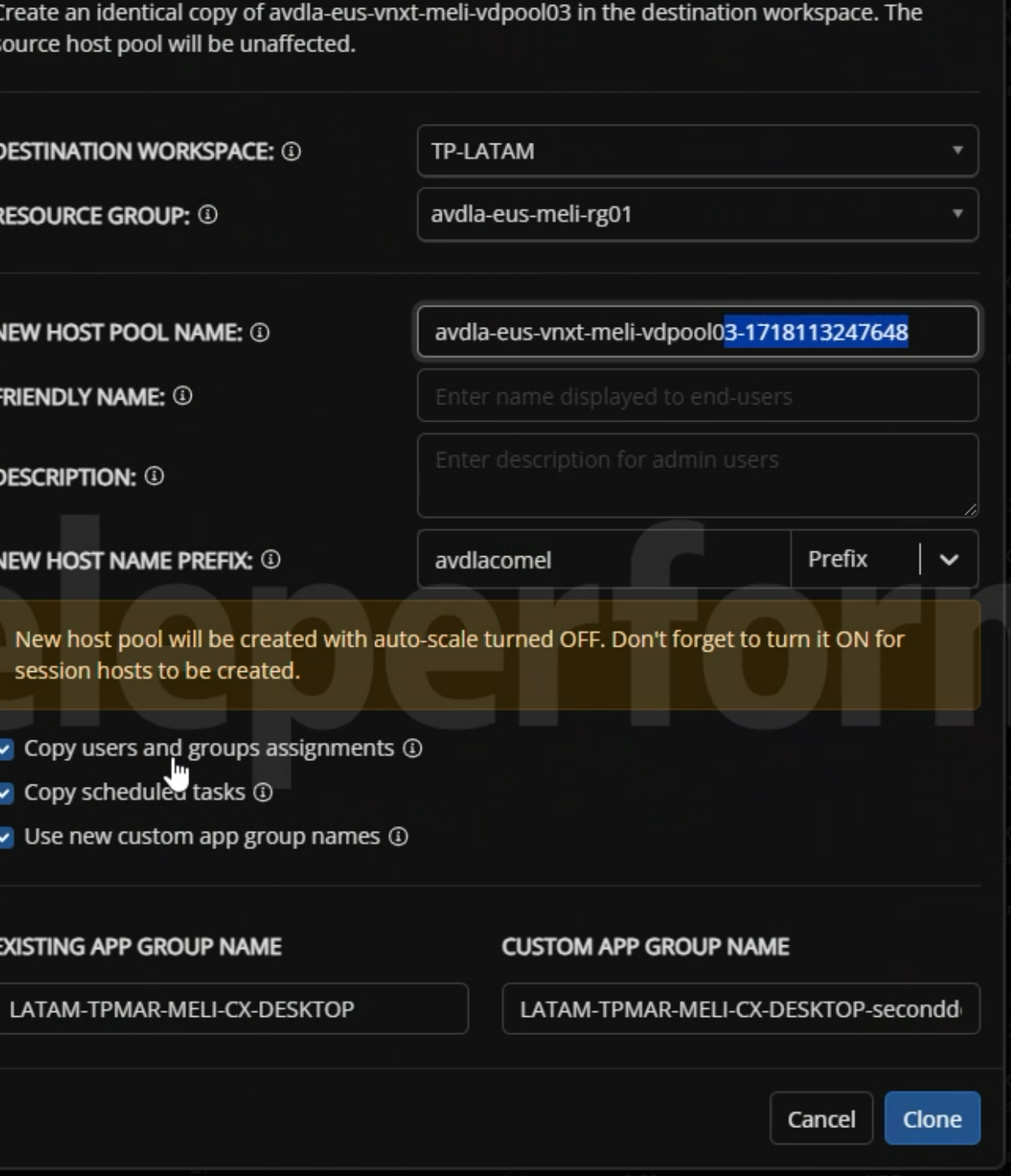
When cloning a host pool, run validation if the source resource group is the same as the destination resource group and gray out the "Copy user and group assignments" to prevent issues.
Users and groups assignments aren't done at the Resource Group level, they are done at the Host Pool/Application Group level, You don't want to grey that setting out. We actually use that setting heavily.
This request came from a customer who was using this option to create test/validation host pools The problem is that it takes those same users/groups and assigns the "Virtual Machine User Login" role in Azure at the resource group level. When those host pools are cleaned up, it removes that role at the RG level as well which removes access to any of the other host pools in the same RG.
Perhaps instead of graying it out, putting a warning that they're in the same RG would work? I also submitted a request to give more information on the unassign users action here: Add Tooltip to Unassign Users – Nerdio Manager for Enterprise (getnerdio.com).
Please sign in to leave a comment.

Comments (2 comments)