Updating/adding new version applications not showing old config, parameters or install switches

HI

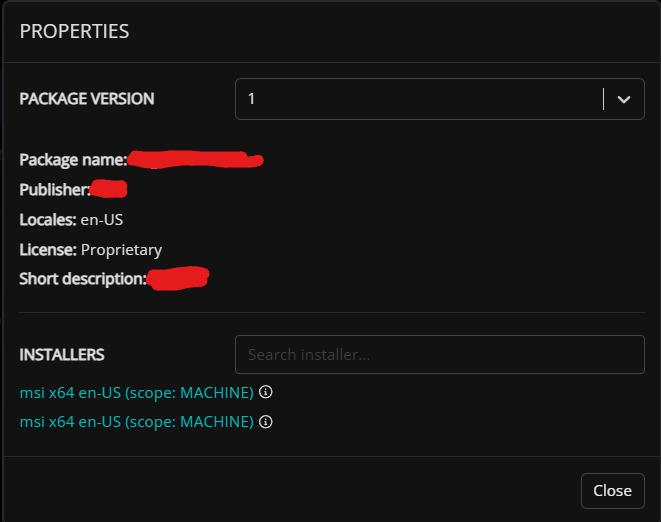
When updating applications from the unified Catalog there is no way to see the config it was/is being pushed out with. Let's say for example I have an application that I set up for a long time that has special install switches etc and it's time to update that application. looking into the properties of the application I only see this info below
 

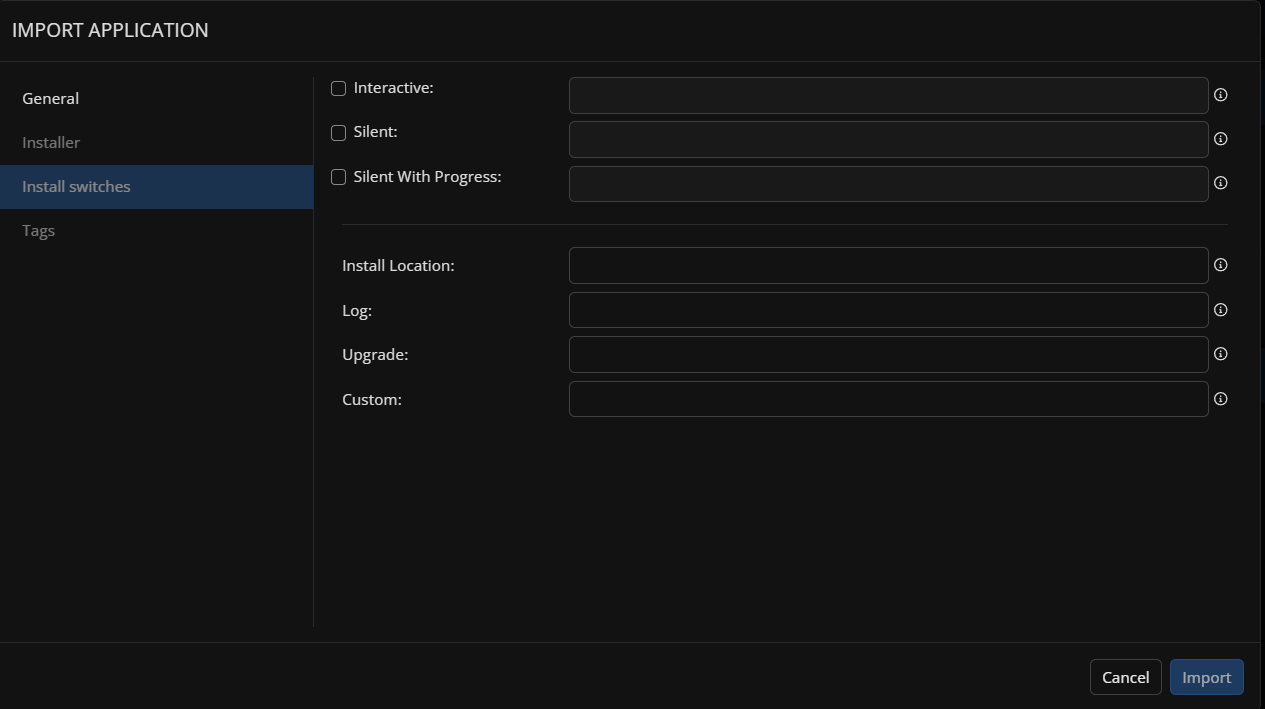
If I add a version of the app I would like it to keep the old settings/install switches etc and if I wanted I could edit them instead of having to redo or remember them all again. This is how it looks like if I add a version to an existing app right now where the only info it keeps from the old version is not useful at all


2

Comments (5 comments)

0
Avatar
Erik Langeland

Connected to this, we also need an ability to edit the install switches of a package in case of some change or if an issue is encountered that can be addressed with a tweak to the install.

0
Avatar
Toby Skerritt

Erik Langeland Róbert Þórir Sigurðsson - Thank you for this detailed request, and apologies for the delayed response. I will capture the issues and discuss with the development team.

0
Avatar
Toby Skerritt

Erik Langeland - you didnt mention which application type you are refering to, but my assumption is a winget app in a private winget repo. Is this correct?

If so, you can edit the install string for an existing app by following the process below:

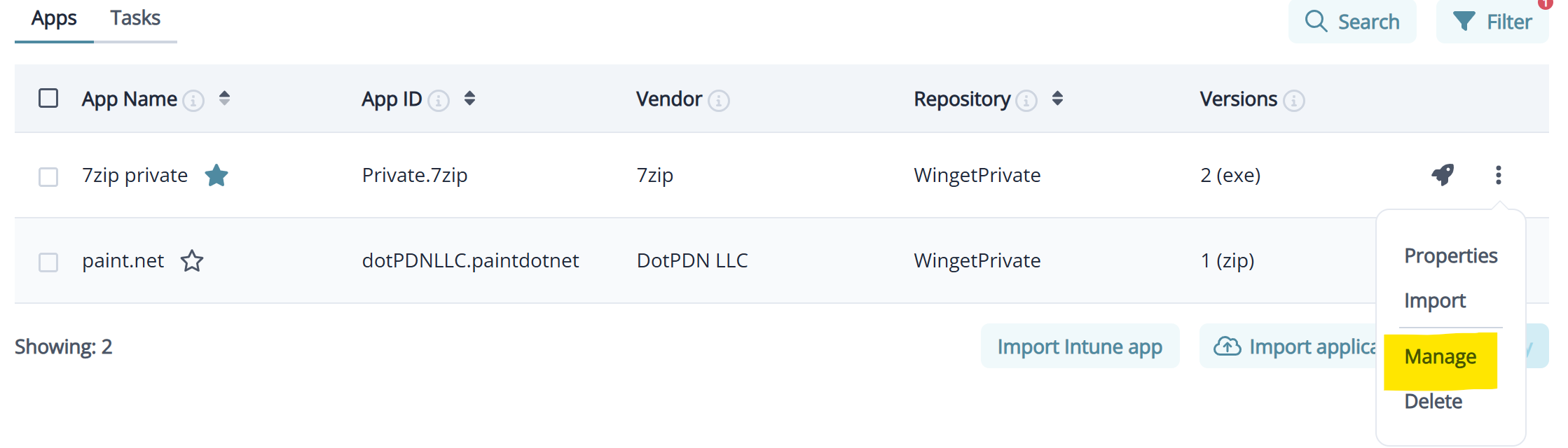
1. click the manage option for the required application

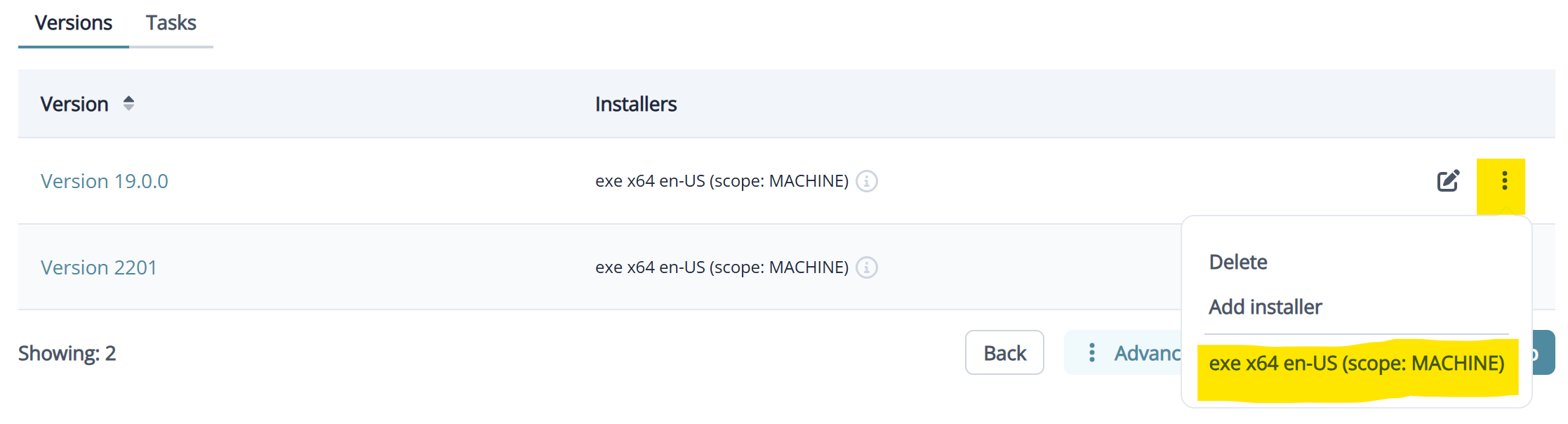
2. Identify the version you wish to edit, and click the 3 dots to show the menu. Click the specific installer for the version you wish to edit

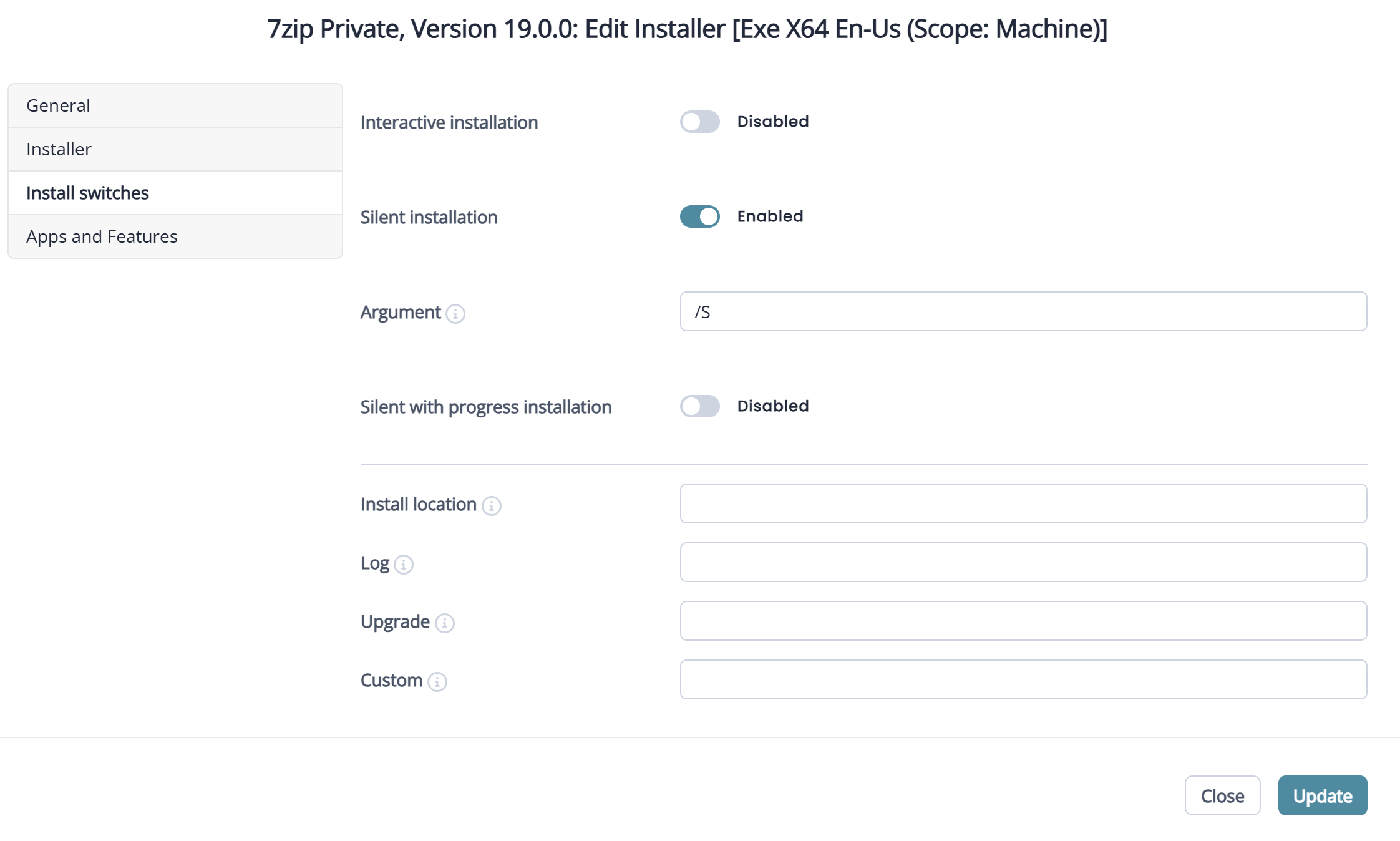
3. Modify the install behaviour and commands for the installer as needed.

I hope this information is useful. Please let me know if I have misunderstood your request. We cannot modify the install commands for public applications as we read these directly from the source, so if you need to modify installer properties, please use the private repo method described above. Thank you.

0
Avatar
Erik Langeland

That is exactly what I was looking for. Thank you for the pointer. I will amend my request then to be that this is very well buried and non-obvious. I think it could be better surfaced to be found more easily.

0
Avatar
Randall Kender

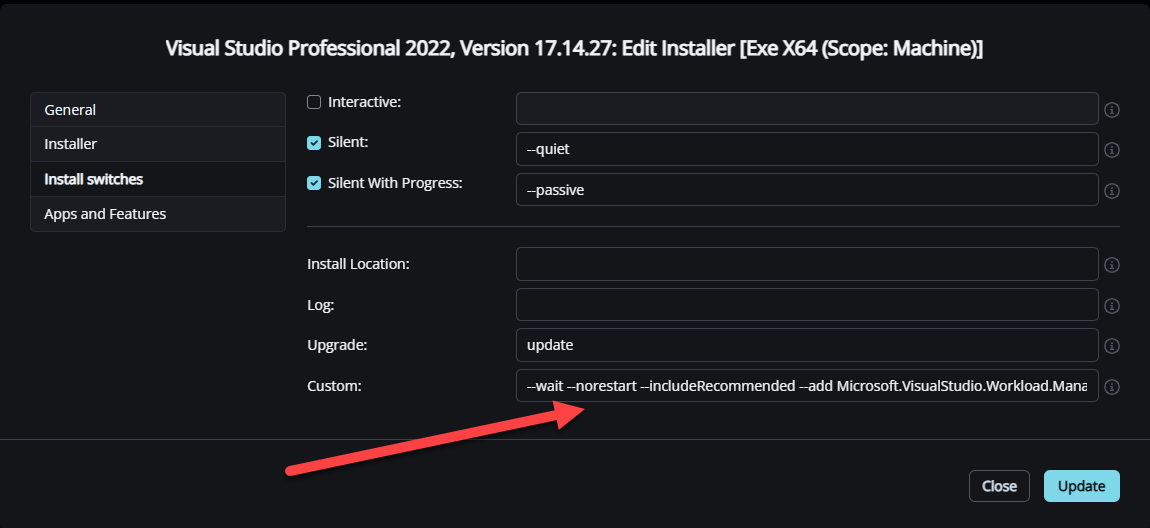
I want to add to this feature request as this is an issue for applications you want to deploy that are synchronized with the public Winget repository. Please add an option to set custom install options during synchronization, to copy from previous versions when creating a new version, or to edit the custom install options on the application in the public winget repository; any of these feature changes work for our use case.

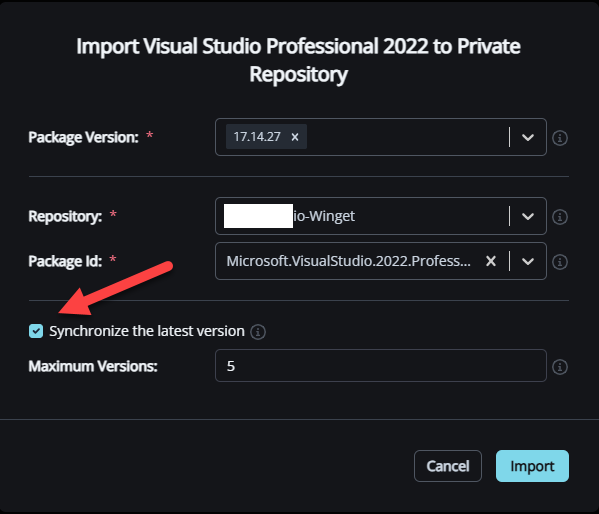
In our case, we want to deploy Visual Studio Professional 2022/2026 which are available in the public Winget. We imported the application to our repository which allows us to edit the custom field under install switches, which are needed to enable workloads within Visual Studio. If we leave the “Synchronize the latest version” option enabled, which we really want to in order to keep Visual Studio up to date, every new version does not contain the proper custom install switches since they have to be set for every version.

Our current workaround is to disable “Synchronize the latest version" and have someone manually import and copy the custom install switches from the previous version. This is a problem as Microsoft released updates sometimes several times a month, and we have multiple versions of Visual Studio we need to deploy.

Please sign in to leave a comment.