
Add dynamic Desktop Image version number to change log based on increment type
Problem:
Manually inserting the next version number into the change log is cumbersome. It requires making a note of what the current version is and then doing math to determine what the next version would be, which itself depends on the version increment type (major/minor/patch).
Description:
Add a column to the change log for each Desktop Image version that includes the automatically generated image version number based on the version increment type.
Vision:
This:
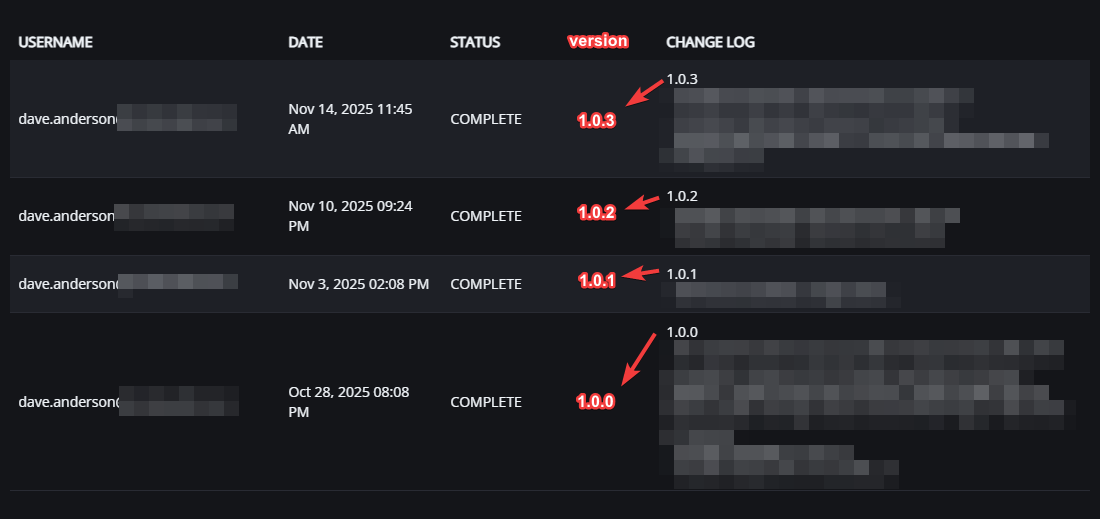
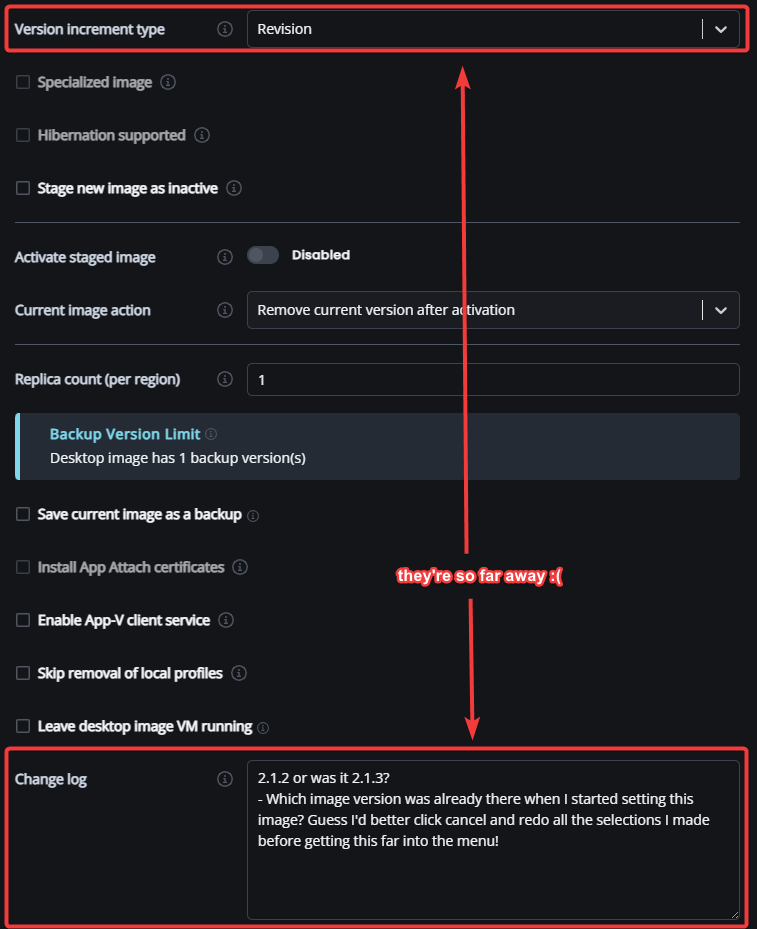
Additionally, I'd recommend renaming the version increment type “Revision” to “Patch” to align with semantic versioning which specifies Major.Minor.Patch.
I'd also recommend moving the change log UI closer to the version increment type in the set as image menu, it's really far away from it right now, with 12 other elements in between the two.
Additionally, what if there was an option to have a pre-filled change log that looked at the recent log entries for Shell Apps or Scripted Actions that were used to modify the specific image in order to give a good starting point for a well-documented change log? Might be a practical use case for AI agents.
Finally, what if there was a way to modify the change log (with a clear denotation in the logs that they'd been edited, what the change was, and who did it), so that any typos or other errors in the change log were fixable instead of permanently etched into the record for that image?


Comments (4 comments)