
You can easily decrease the number of support tickets you receive with one PowerShell Script.
One of the minor annoyances that you may have noticed with Entra ID AVD Host Pools and Cloud PCs is this prompt end-users receive a pop-up like this every time they're logged-on to a different host or every 30 days.
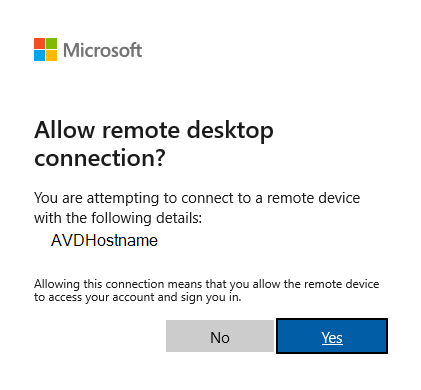
Many times, end-users just click “Yes” and move on with their day, but often the more “technology timid” will submit a support ticket every time they receive the pop-up.
Microsoft has a guide (see Hide the Consent Dialog) that can do this on a per-group basis, but what do you do if you have multiple groups or different naming schemes?
We've taken these scenarios into account.
This script builds-on that initial idea from Microsoft but takes it a step further and utilizes a dynamic group that looks for any AVD Host or Cloud PC.
You can modify the script to have the group match your naming scheme, but otherwise, you can the script as is from CloudShell or a PowerShell as Administrator
Test it out and let us know if it helps you out or if you have a better way to handle it.

Comments (0 comments)