Post-task for re-image

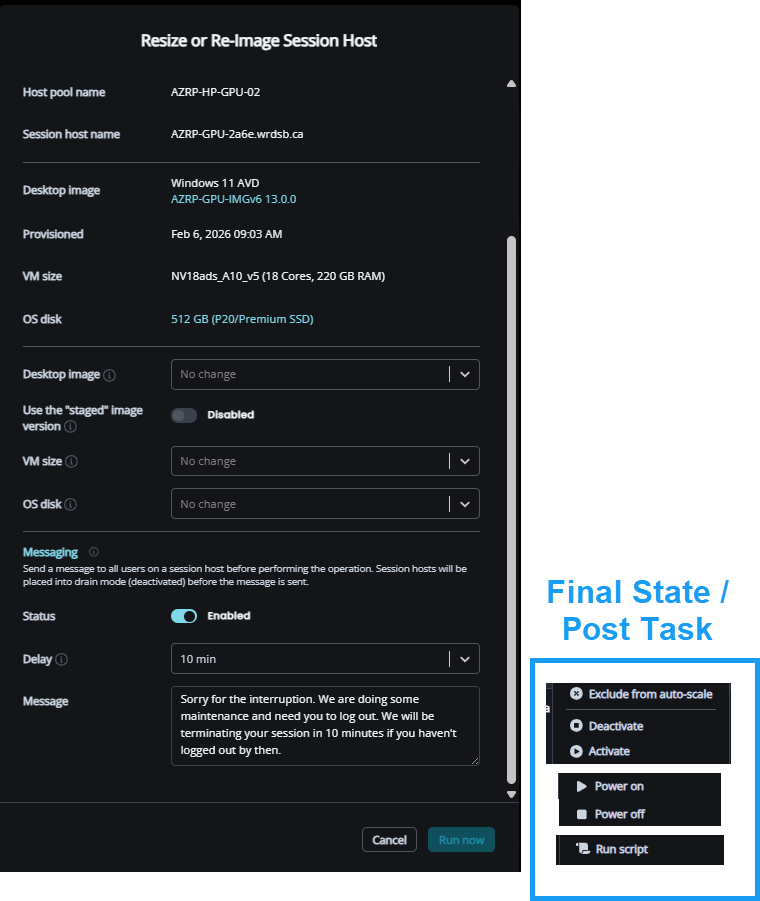
Offer post-tasks to be completed after a VM has been re-imaged:

  • Power On/Off
  • Deactivate
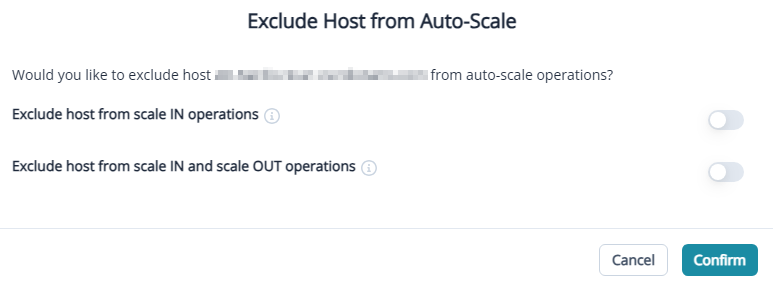
  • Restrict Auto-Scale

This is useful when we don't want VMs to enter production right after being re-imaged. For example, we have an AV inital scan that we would like to complete before users login to improve the user experience, or we want to allow Intune configurations and apps to apply.

1

Comments (2 comments)

0
Avatar
Dave Stephenson

Great idea, Troy Dettwiler. I've often looked for this functionality from time to time as well but ended up doing a separate pool for testing.

Out of curiosity, are you wanting to do this in a production host pool or are you thinking this would be more of a Dev/Test pool feature in your use-case?

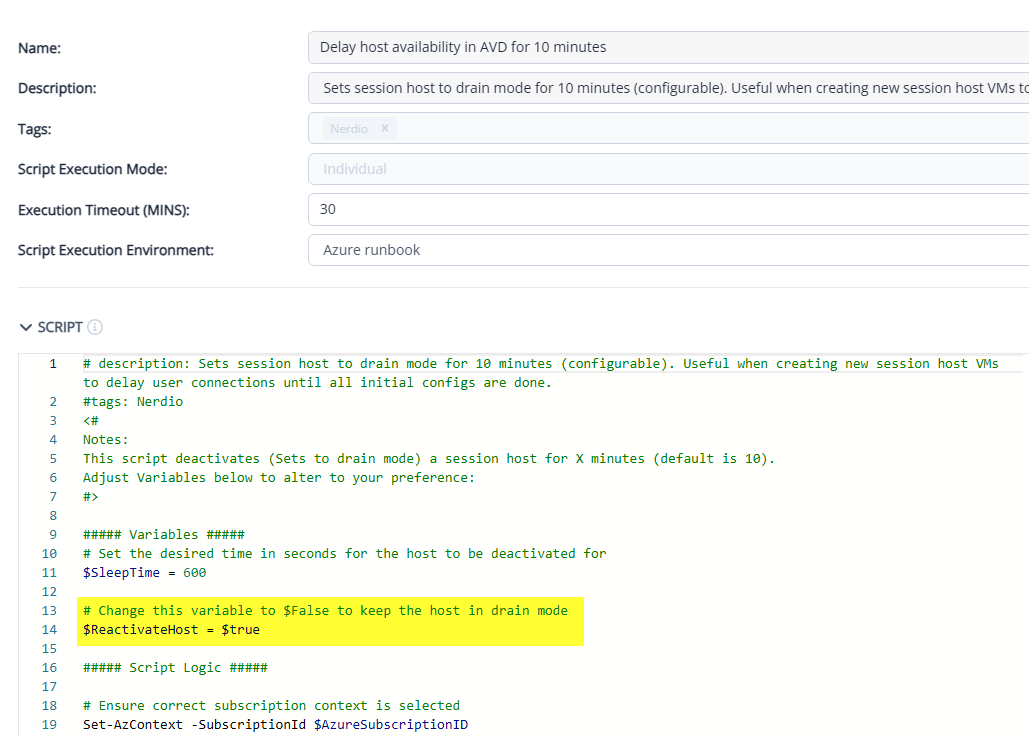
We have our Delay host availability in AVD for 10 minutes Azure RunBook which can do what you're wanting. 
However, you could potentially run into issues where Auto-Scale/Auto-Heal may try to play the “I know better” game and could try to re-enable the hosts before you're ready.

Would it make more sense to have an “Exclude Host(s) from Auto-Scale” option as part of the Host Creation Wizard?
 

0
Avatar
Troy Dettwiler

Thanks.

My particular use case would be in a Production host pool using NV series VMs. We have an issue where users will jump on as soon as the re-image proces is completed, even though we are not ready for the VMs to be used. I know if I reimage a VM when it is off (deprovisioned), it will return in the off state, but often I want them to be on, I just don't want users to connect right away. Or, I am reimaging after hours, and suddenly Auto-Scale will turn off a VM while the inital AV scan is running or I am hoping Intune polcies and apps are applying or I am logging in to confirm a licensing manager for a specialized app. It is also common in our environment to cut over half a host pool with a new version and making a quick cut over at a specific time - this again can be frustrating and I need to ensure a specific order of clicks to prevent the VMs from being accessed before I am ready. This creates a lot of wasted time, as I am jumping between a lot of tasks outside of Nerdio… having this all in one place would reduce my clicks (and frustrations) significantly. The NV series is also in high demand right now (and expensive), so I try my best to keep are baseline capacity as tight as possible. While I do use development hostpools, this issue is moreso about timing in Production vs. testing

What was was thinking was an adjustment to the UI for the Resize or Re-Image Session Host that adds a Final State / Post-Task section which would allow the user to select if the VM would be ON or OFF, Active or Deactivated, Excluded or Included from Autoscale, and maybe run a script run?

Maybe this feature already exists or I am approaching this the wrong way? If so, I am happy to review documentation.

Thanks for your time.

Please sign in to leave a comment.