
Hi,
We're looking to introduce balanced host availability between North Europe and West Europe and were hoping to use the Nerdio Disaster Recovery settings under the Host Pool settings to help us achieve this.
This feature is very appealing as it would give us resilience against an outage in one of the regions as well as balancing our SKU requirement across the 2 regions.
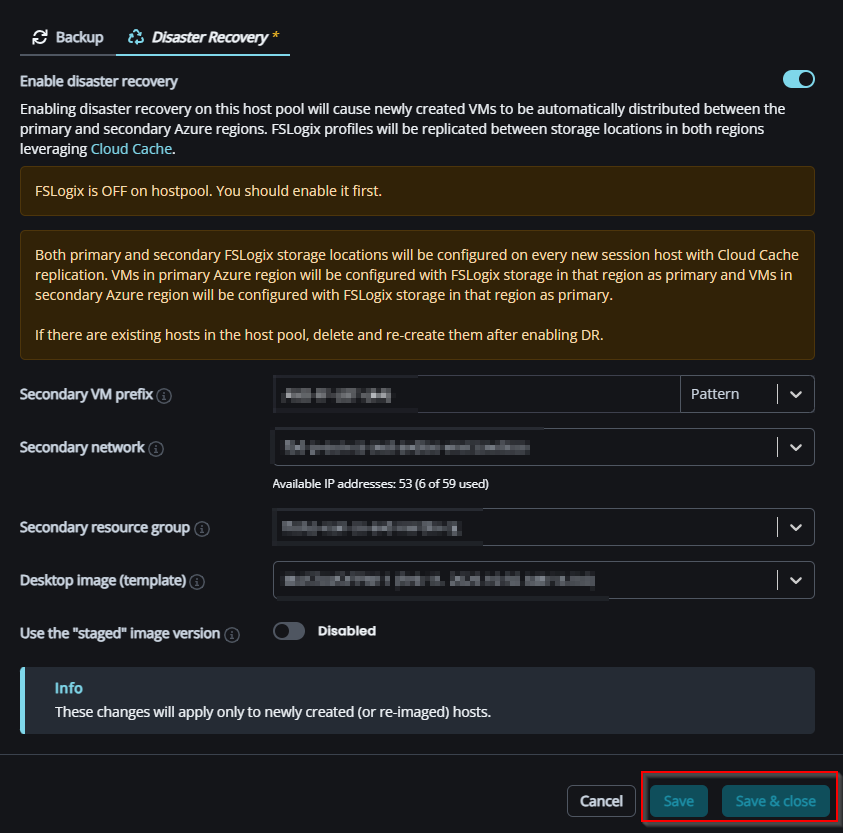
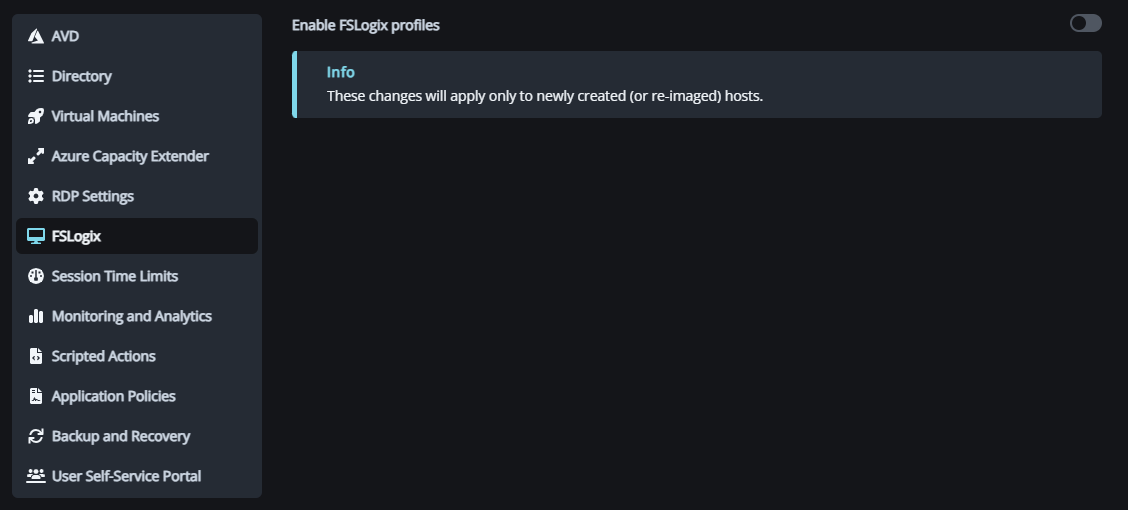
The issue we've encountered is when this feature is enabled we're prompted to Enable FSLogix on the host pool!
This is detrimental to us as we don't use FSLogix as our profile manager.
I don't understand why, when there is an option to not use FSLogix when building Host Pools and Hosts, it's a requirement for it to be enabled to use this feature.
We have a cloud based profile manager (Ivanti) that handles all our regions, Europe, Asia and US so we have no requirements to use FSLogix.
We can't proceed any further with this as the option to save the configuration is greyed out because of the prerequisite of having FSLogix enabled.
A simple radio button to allow a 3rd party profile manager or simply a button to use FSLogix with a warning that if not enabled a 3rd party solution should already be in place.
I hope that this can be resolved quickly as this is a feature we would like to introduce and probably once enabled and working in Europe we would roll out to the US and Asia regions as well.
Regards,
Denis.

Comments (2 comments)