
Whenever I change to a different view in the left pane (custom view groups or otherwise), all groups collapse. This is very annoying, as I have to expand those groups again.
----------------------------------------
Example:
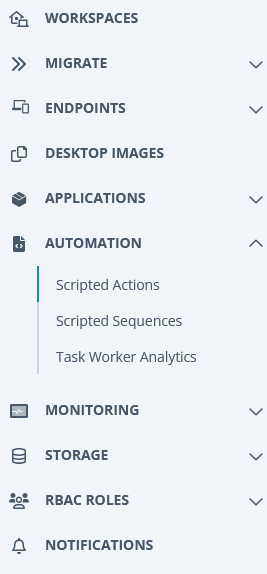
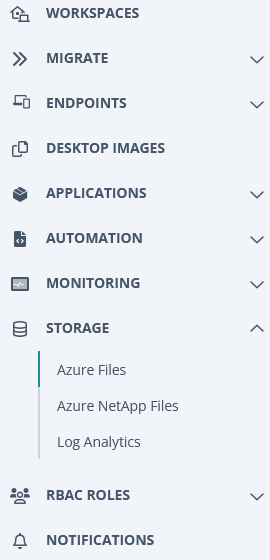
If you have AUTOMATION > Scripted Actions open, then expand STORAGE group > Azure Files, the AUTOMATION menu collapses. Same thing happens when changing between Custom Views in different Custom Groups.
Before: In Scripted Actions, then about to go to Storage > Azure Files
After: Clicked on Azure Files in STORAGE group, and now the AUTOMATION group has collapsed automatically. This did not used to happen - I used to be able to have many custom groups expanded and be clicking between the items under them with no auto-collapsing.
----------------------------------------
Can you change this back or add an option to disable/enable group auto-collapsing? Using Nerdio has now become annoying and slower to use, as I keep having to expand these groups all the time.
For Nerdio Staff: I had previously logged a job about this (Request 134862), and was told to log a Feature Request.
Comments (0 comments)