
The current Log Analytics Configuration does not have any customization options for performance counters or event logs. There is significant cost savings we could find if we were able to make just a few changes. All of these changes can be done on the Data Collection Rule side within Azure, but that does not seem workable as any changes made within Nerdio will always overwrite all changes made manually within Azure.
We would like the following:
- Allow disabling the included performance counter
- Allow adding a custom performance counter
- Allow custom Event/Sources
- Allow exclusions for Windows Event sources
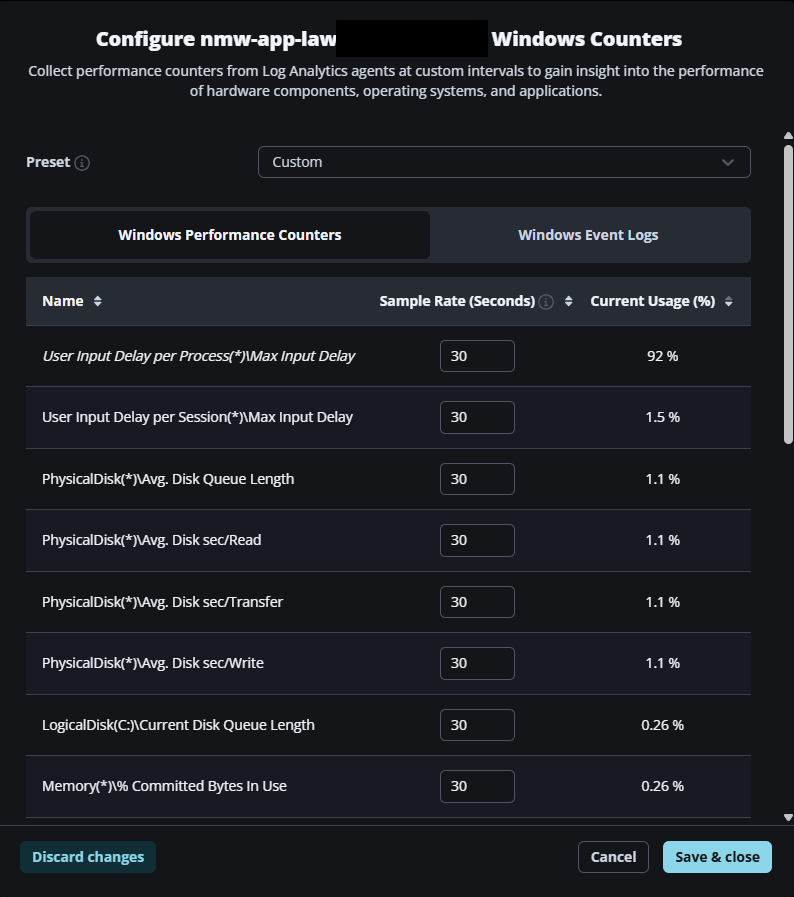
Under Windows Performance Counters, there is no option to completely disable a performance counter or add a custom one of your choosing. For us, the “User Input Delay per Process(*)\Max Input Delay” is costing several thousand dollars a month and is not something we have use for, however the only option we have is to increase the sample rate to 1800 seconds; there is no way to disable the counter.
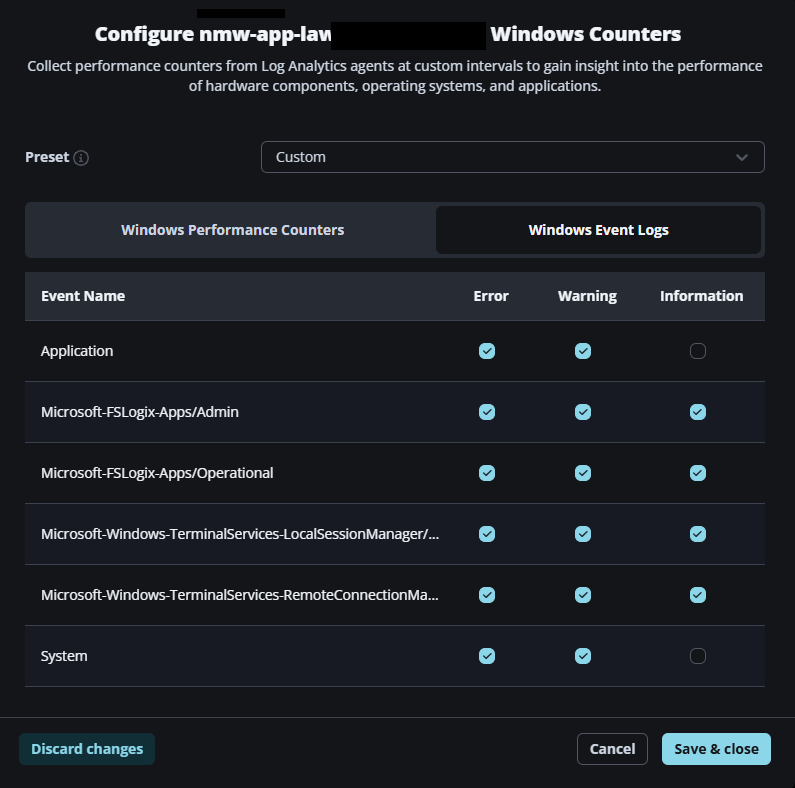
For the Windows Event Logs, there is no way to exclude specific event sources. We have a lot of events enabled for security and compliance reasons that are extremely chatty, and some that are just noise that we would never look at. However, the only options are for Error, Warning, or Information, which isn't enough filtering to reduce costs.
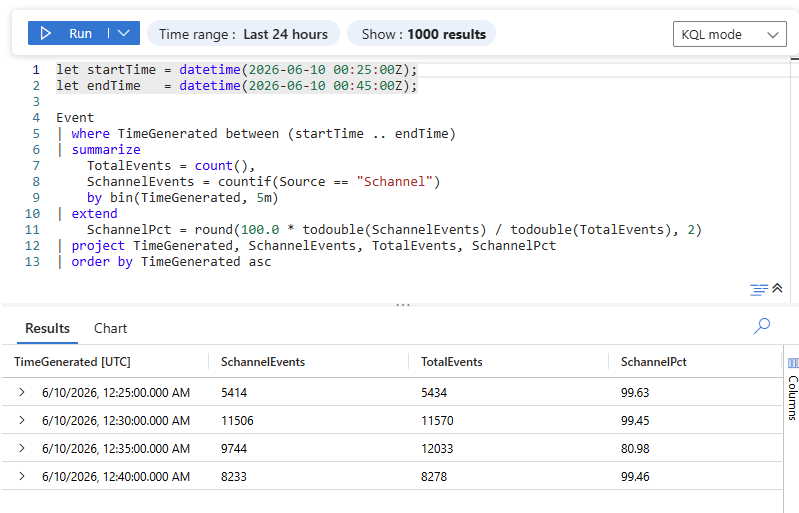
See here that at times over 99% of our event logs could be generated by any one source that we really don't care to spend the money on. Long term, it would be nice to have an “Optimize” usage that would look at trends of events for the past month through Nerdio Copilot and make suggestions for events that are just spammy and can be excluded. Could be lumped in as an additional cost savings that Nerdio provides :)
Comments (0 comments)